Skip to content
ayan://bhardwaj (home)

Independent build · Productivity

Stack

A workspace shaped by your major.

Tell Stack what you study and what you want from this term, and it sets up your modules, starter pages, dashboard and look to match. Notes, deadlines and databases sit in one place, and an AI tutor quizzes you on what you actually wrote down.

I study

This whole page re-skins with the picker, the way Stack does when you tell it your major. Six of its styles, drawn in this site's three fonts.

What it does

One app, not three.

  1. Set up by your major

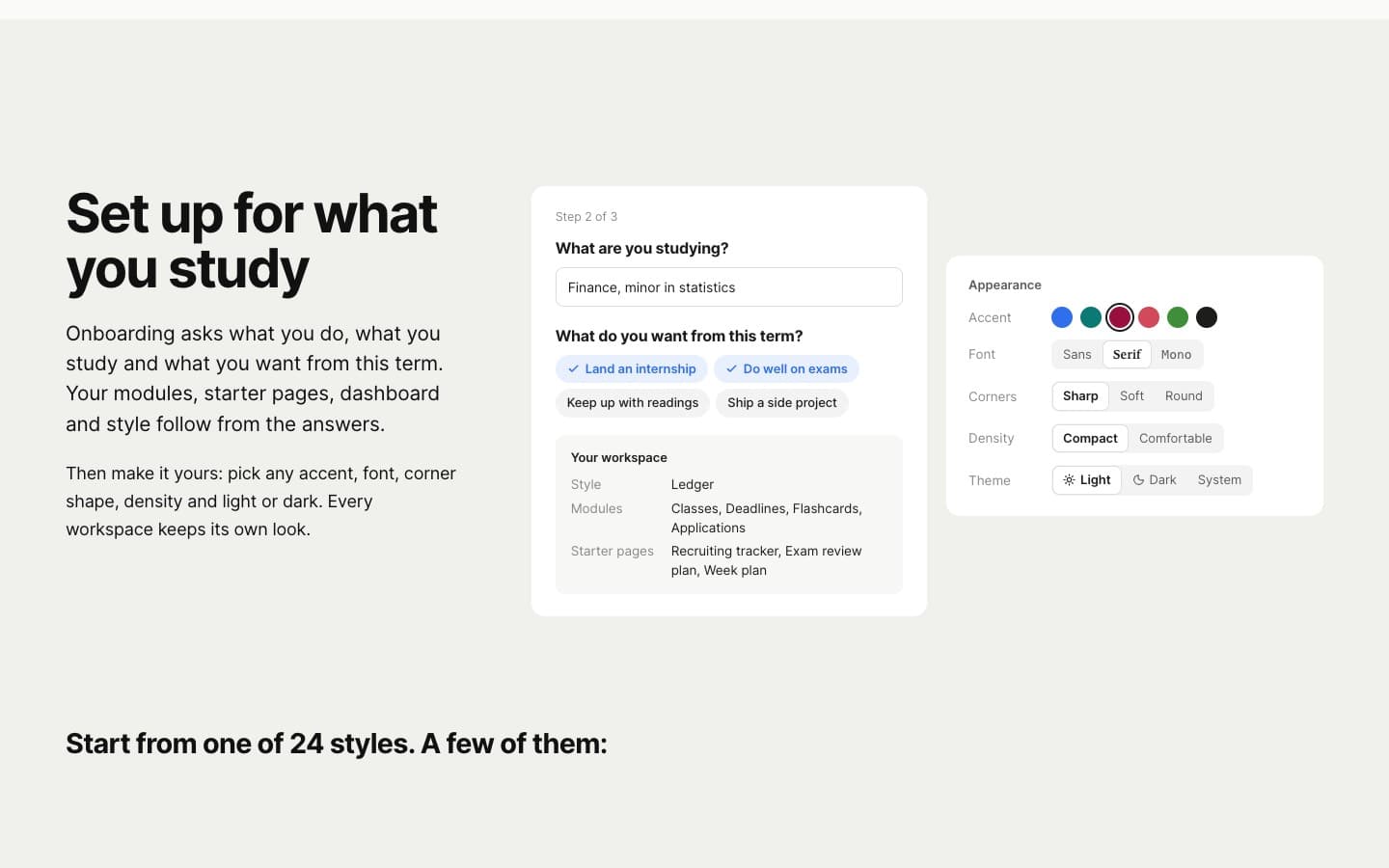
    A three-step onboarding asks what you do, what you study and what you want this term: land an internship, do well on exams, keep up with readings or ship a side project. "Finance, minor in statistics" starts you in Ledger with Classes, Deadlines, Flashcards and Applications, plus a recruiting tracker and an exam review plan.

  2. Notes that hold a semester

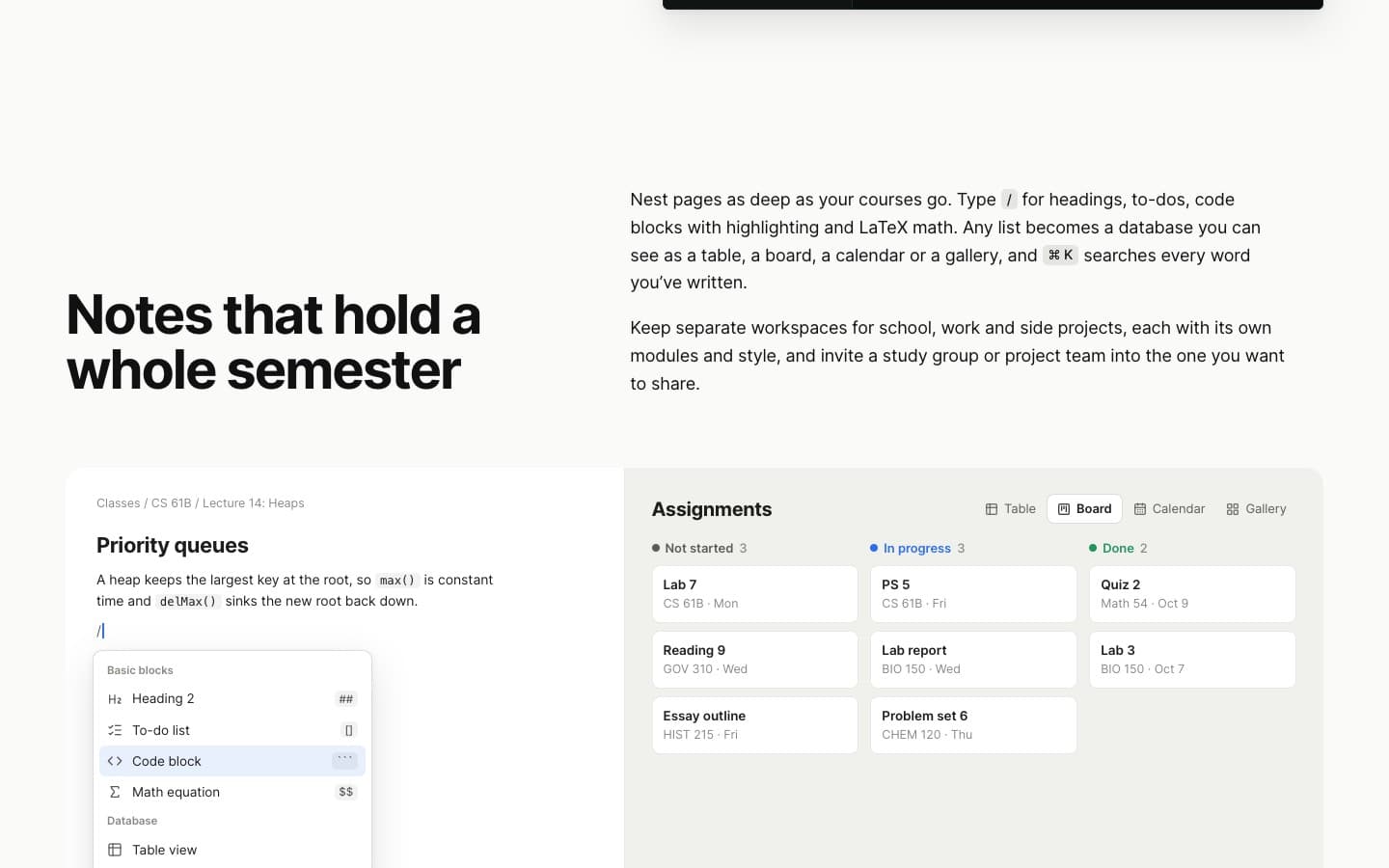
    Nested pages and a / menu for headings, to-dos, highlighted code and LaTeX math. Databases with table, board, calendar and gallery views. Full-text search on ⌘K, several workspaces, and a study group you can invite.

  3. An AI that tests you on your notes

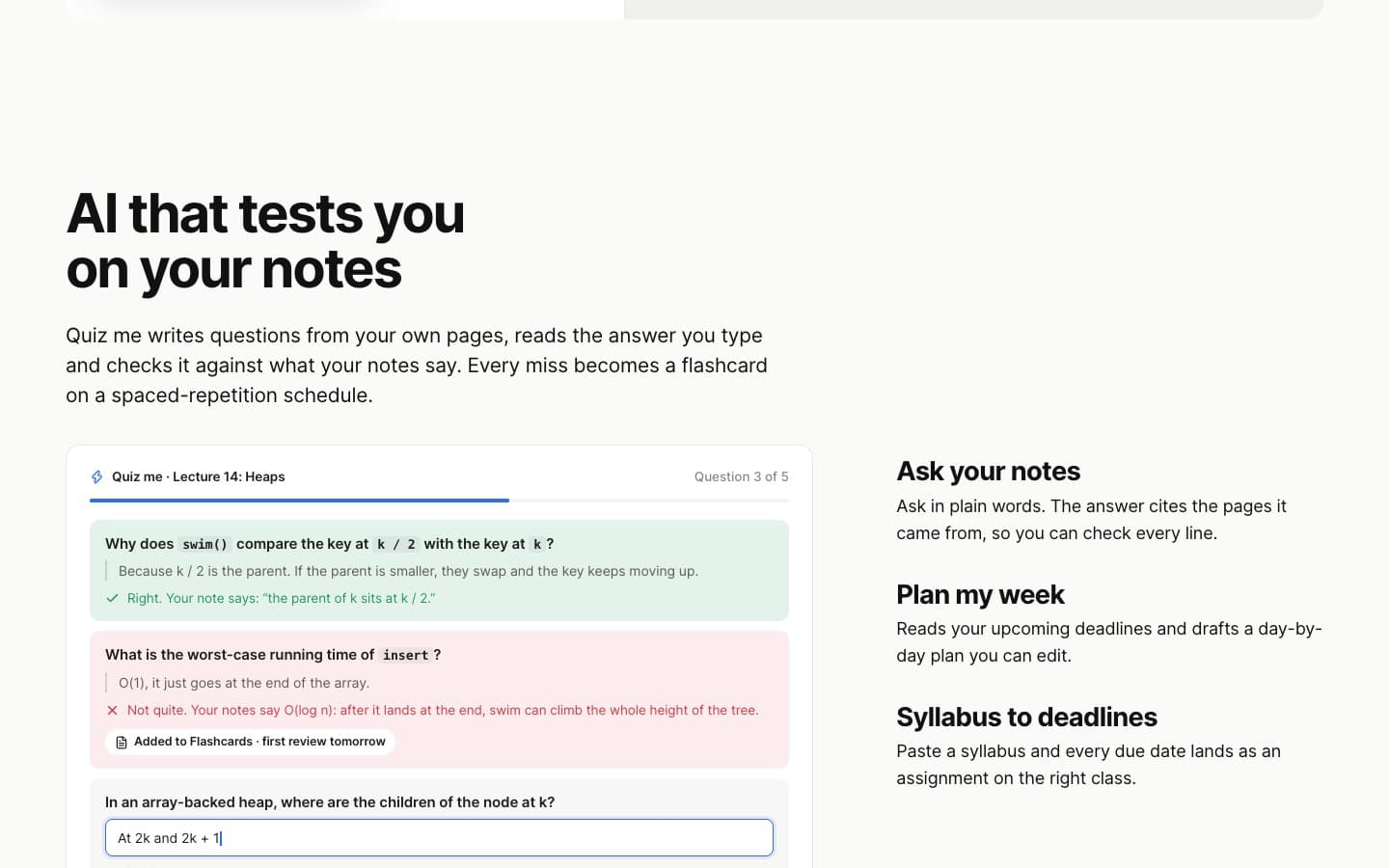
    Quiz me writes questions from your pages, grades your typed answer against what the notes say and quotes them back. Every miss becomes a flashcard. Ask your notes answers with the source pages cited; Plan my week and Syllabus to deadlines do the admin.

  4. Review before you forget

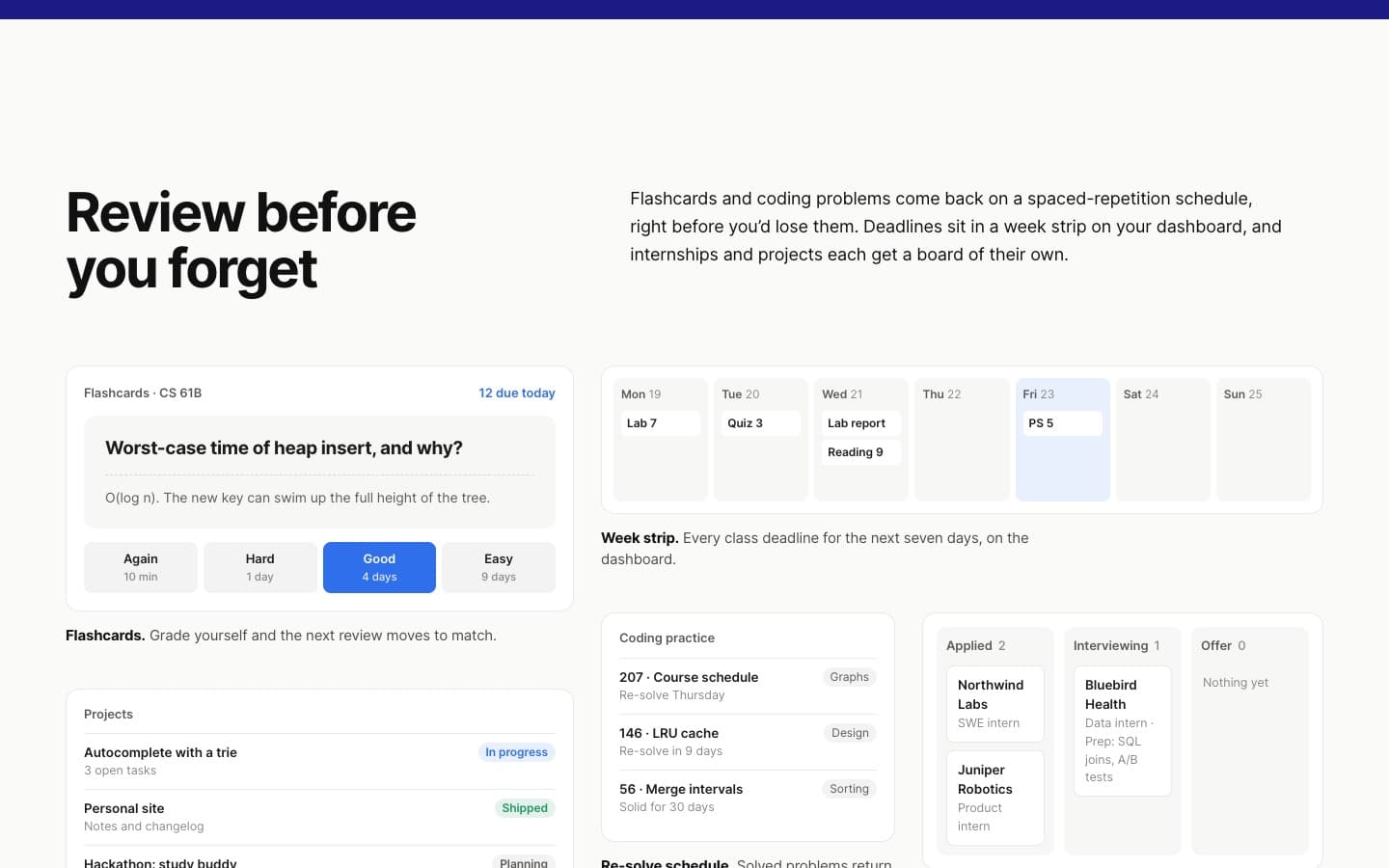
    Spaced-repetition flashcards, coding problems on a re-solve schedule, a seven-day deadline strip, an internship board from applied to offer, and a projects hub.

  5. School deadlines, synced

    Paste each course's calendar feed from Canvas, Blackboard, Moodle, Brightspace, Schoology or Google Classroom. It is checked daily and de-duplicated, and a private iCal feed goes back out to Google or Apple Calendar. A daily digest can post to Slack or Discord.

  6. Yours only

    Each account's data is isolated, and Ask and Quiz search only your own pages. Signing up asks for an email and a password, nothing else.

Quick Capture

Type it the way you'd say it.

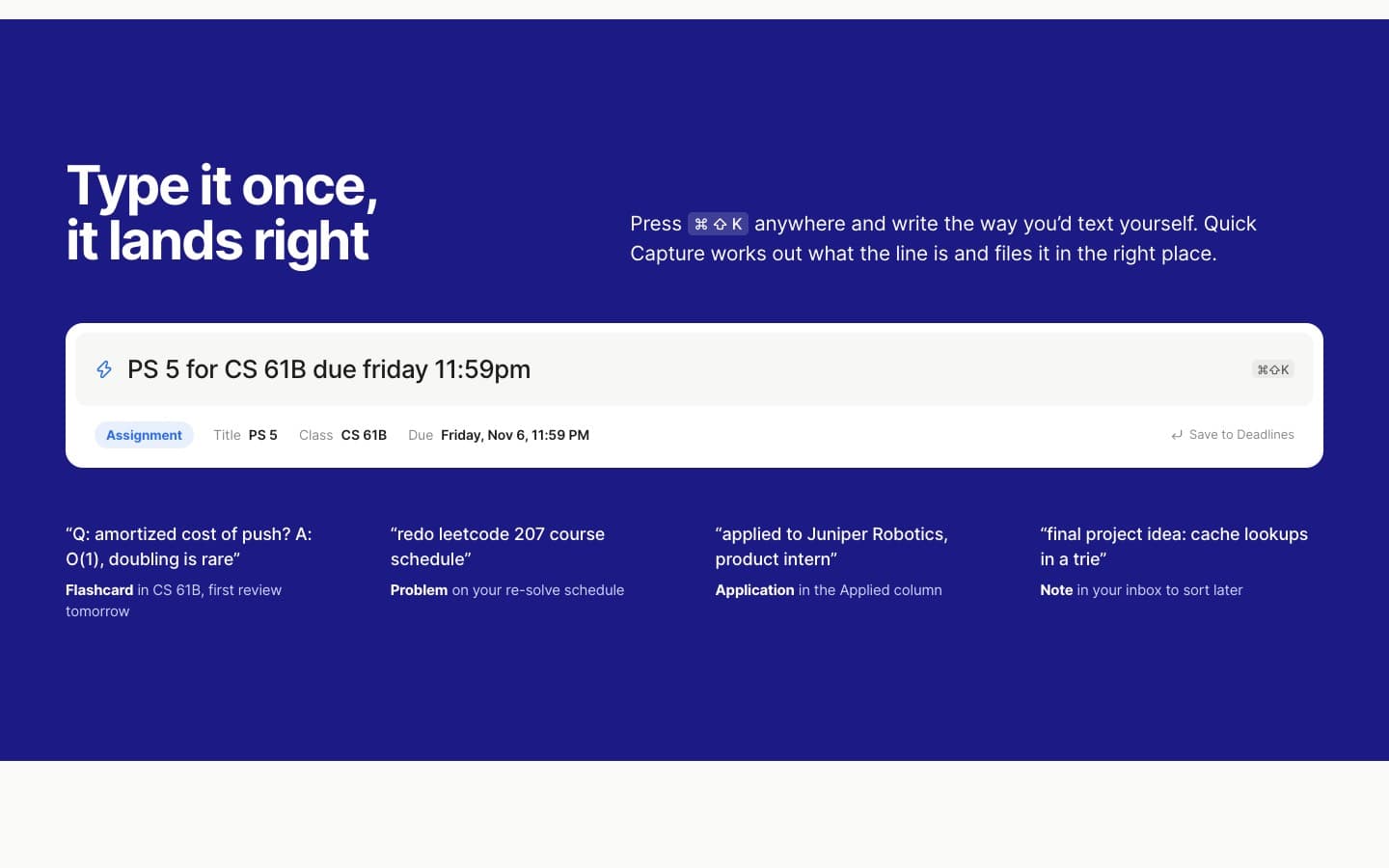
One shortcut from anywhere, one line of plain text, and it lands in the right place as the right kind of thing. Try it: this is a small parser written for this page, and nothing is saved.

Assignment→ Classes › CS 61B › Assignments

Title
PS 5
Class
CS 61B
Due
Fri · 11:59 PM

Quiz me + review

Study from your own notes.

Answers are graded against the note, and the note is quoted back to you. A miss becomes a flashcard, and flashcards come back on a schedule before you forget them.

CS 61B › Lectures

Lecture 14: Heaps

  • A binary heap is a complete binary tree stored in an array.
  • In a min-heap, every parent is less than or equal to its children.
  • With the array starting at index 1, the children of k sit at 2k and 2k + 1, and the parent of k sits at k / 2.
  • Insert puts the new item at the end and swims it up; removing the minimum moves the last item to the top and sinks it down.
  • Both operations take O(log n) time, because the tree's height is log n.
Quiz me · 1 of 3Flashcards +0

Scripted questions and a keyword check stand in for the AI grader here.

Again, Hard, Good, Easy.

The four grades and the intervals Stack shows on its own cards: ten minutes, one day, four days, nine days. Grade a card and watch where it lands on the next two weeks.

Flip the card, then grade yourself.

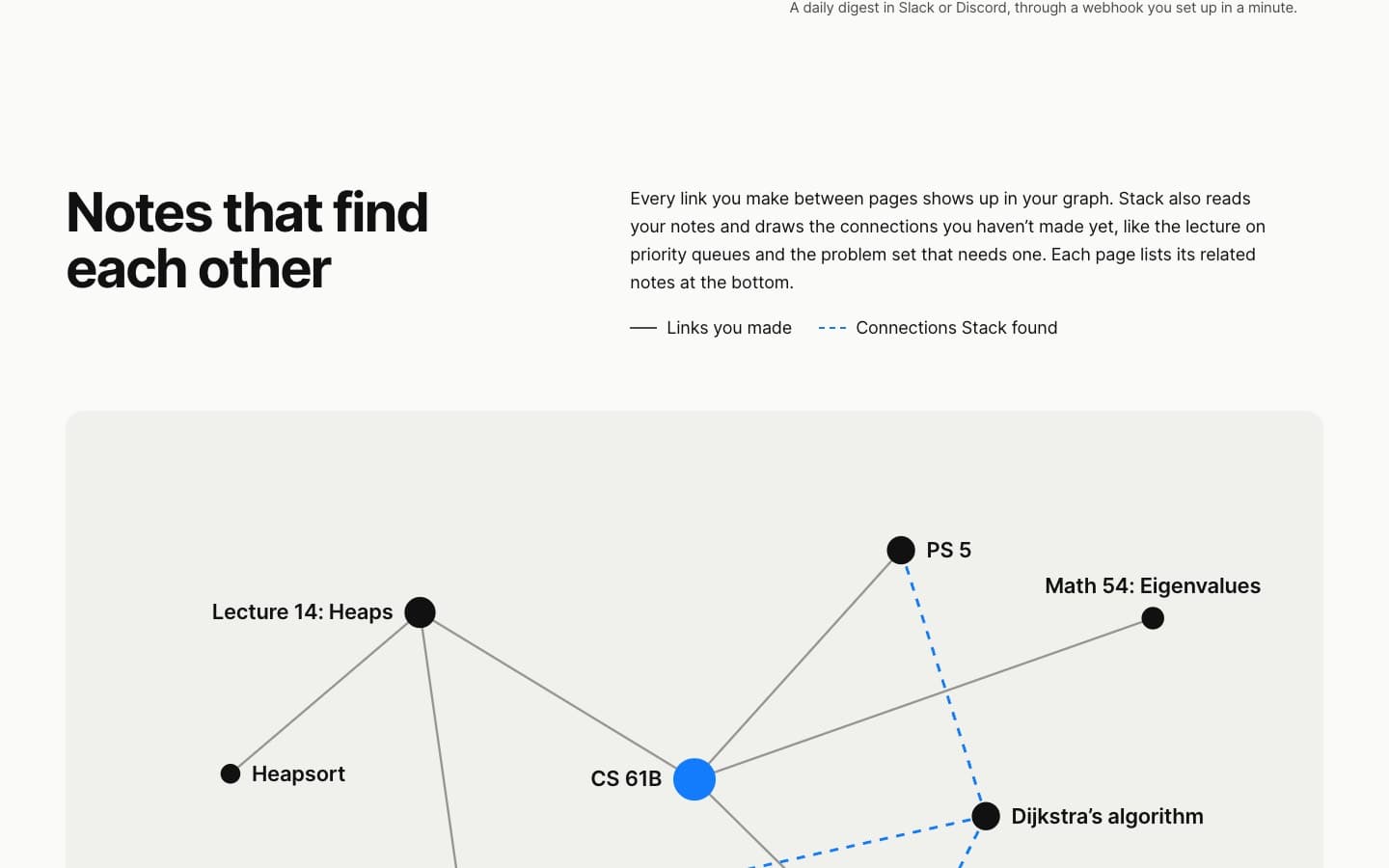
Linked notes

Notes that find each other.

Solid lines are links you made. Dashed lines are connections Stack found on its own, and every page lists its related notes. Hover or tab through the notes.

Lecture 14: HeapsPriority queuesDijkstra's algorithmLecture 12: TreesPS 5Heap sortLecture 16: GraphsBig-O cheat sheetLeetCode 207

Under the hood

What the public build shows.

The repository is private, so this list is only what the shipped app reveals about itself. The back end, database and model provider aren't covered here.

App
React single-page app built with Vite, installable as a PWA, hosted on Vercel
Editor
BlockNote on Tiptap and ProseMirror, KaTeX for math, Shiki for code highlighting
Calendars
iCal parsing for course feeds and an outgoing private feed
Routes
Same-origin API routes for SSO sign-in, public pages and forms, CSV export of databases, and webhooks
Styles
About 25 variable web fonts behind the style system, from Newsreader and EB Garamond to JetBrains Mono
  • React
  • Vite
  • BlockNote
  • KaTeX
  • Shiki
  • PWA

Screens

The real thing.

From the public landing page, including three more of its styles.

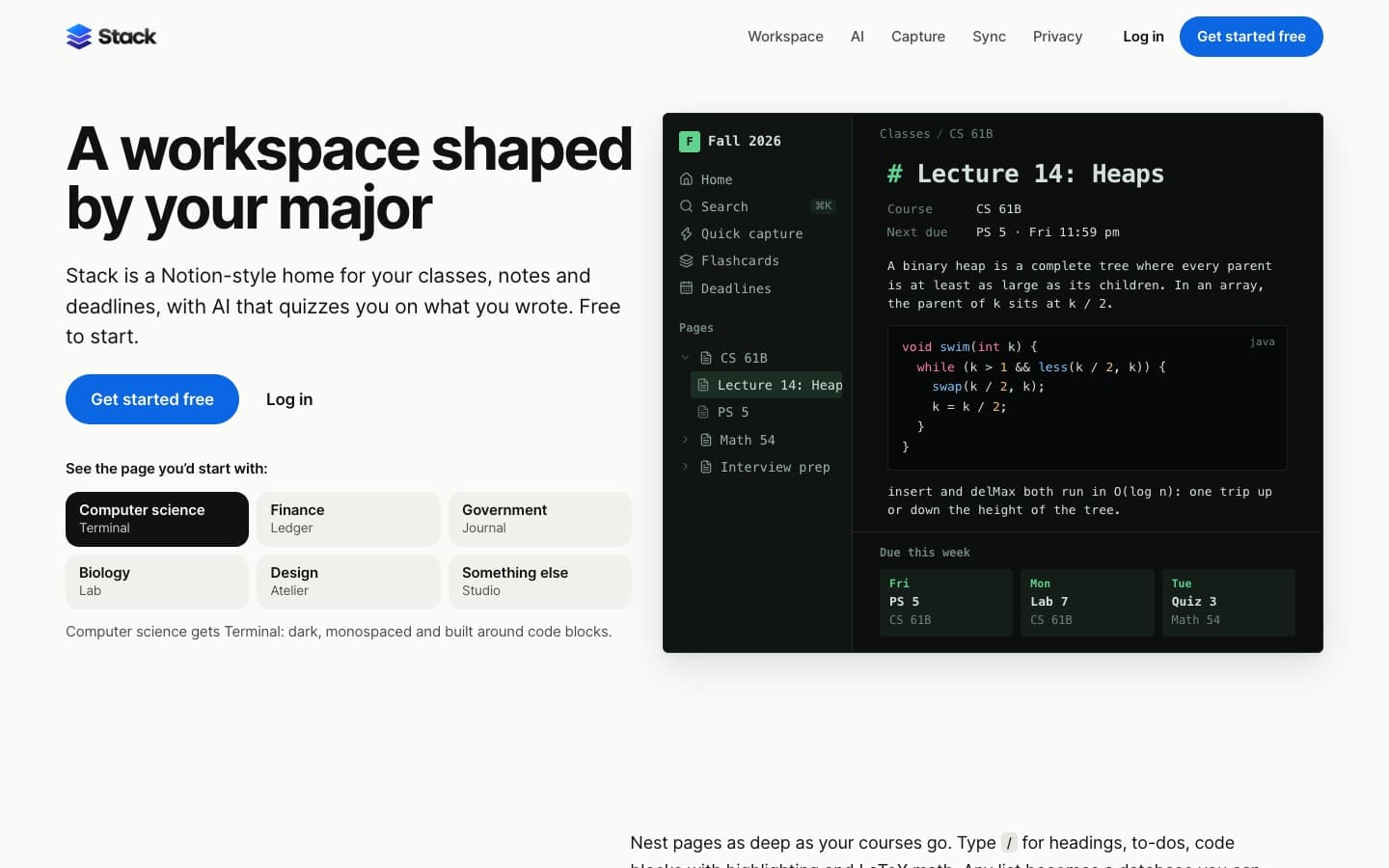
Stack's landing page with the computer science style: a dark, monospaced page titled Lecture 14: Heaps, with a Java code block and cards for work due this week
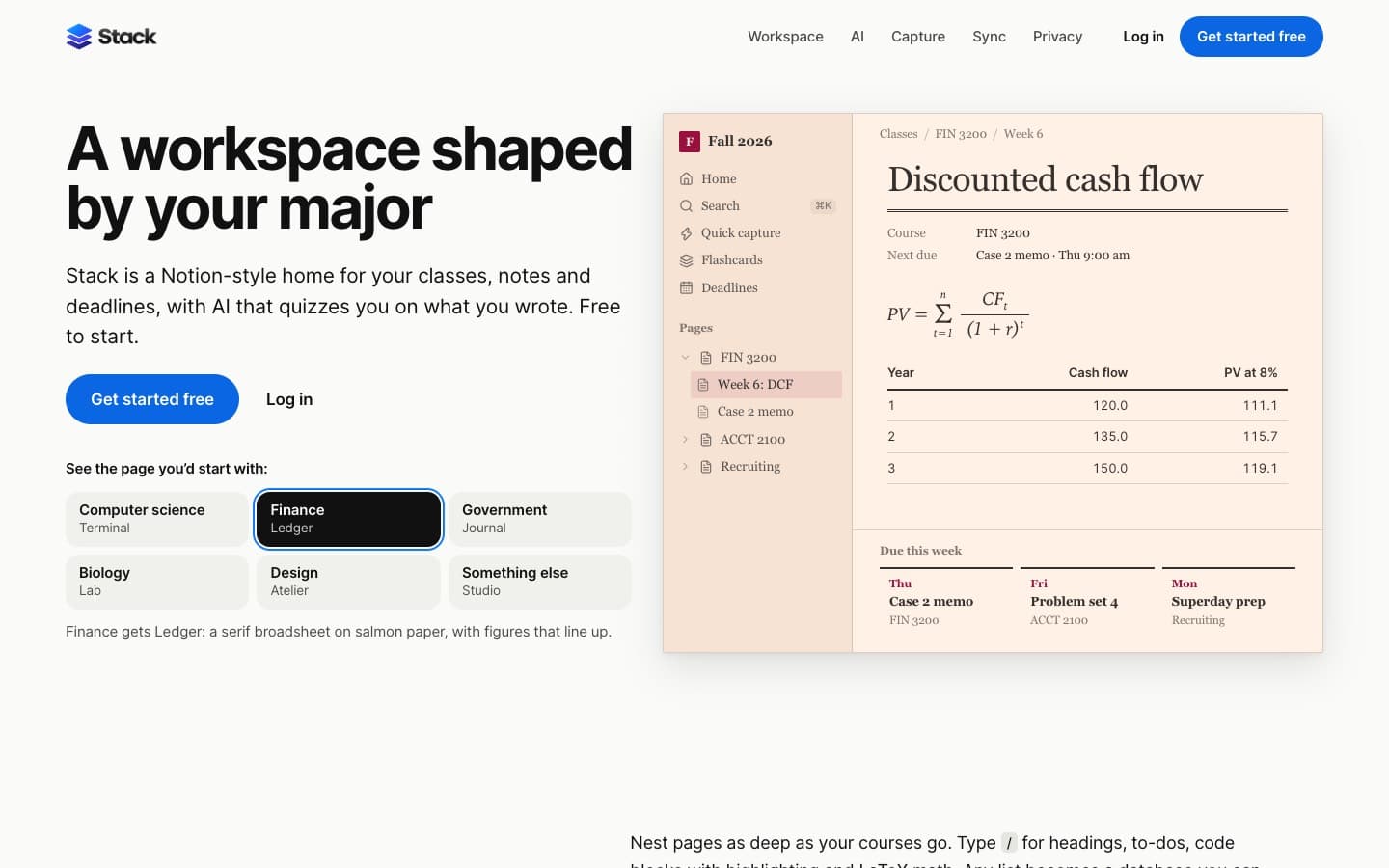
The finance style, Ledger: salmon paper, a serif heading for discounted cash flow, a present value formula and a cash flow table
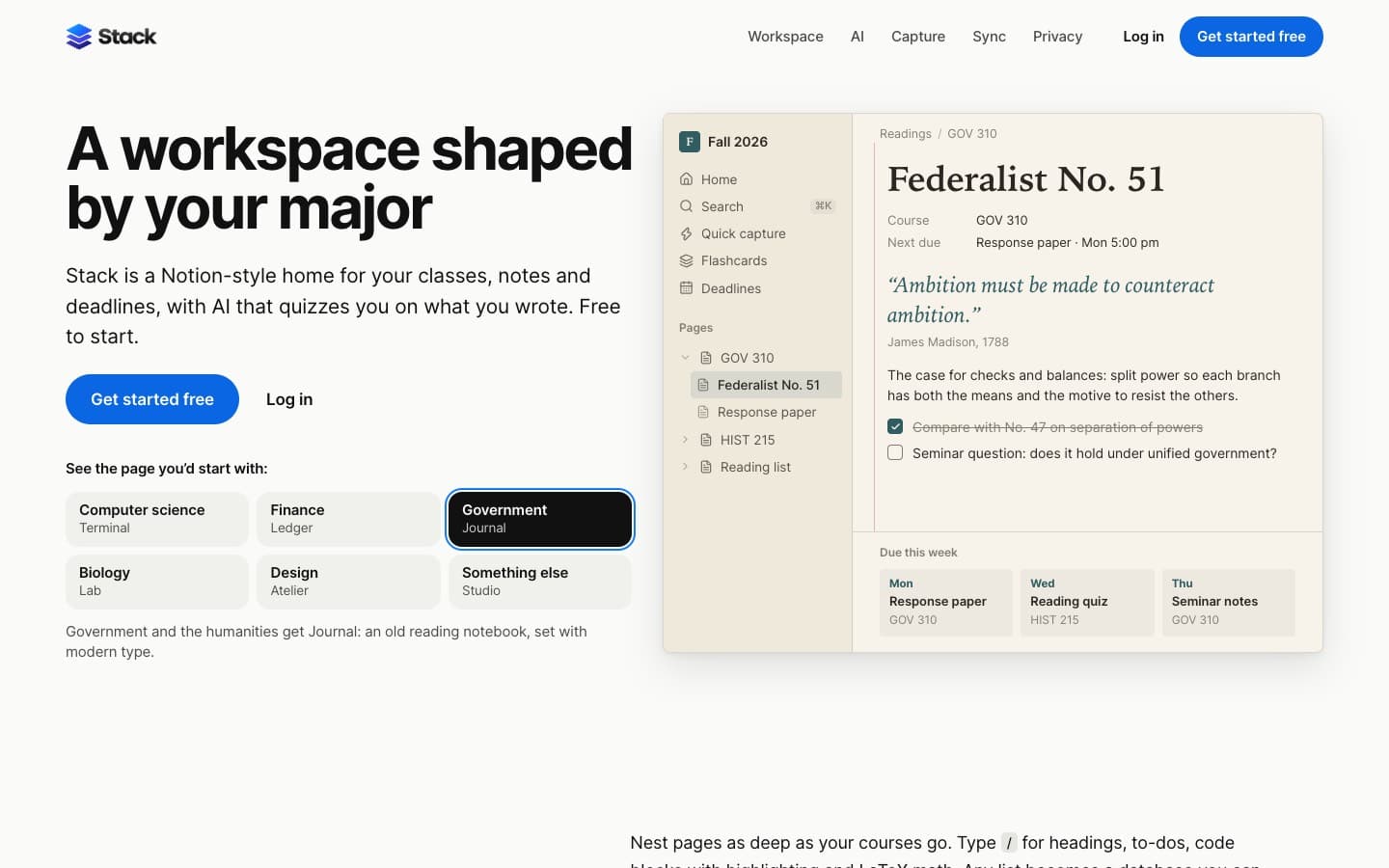
The government style, Journal: a cream notebook page in serif type
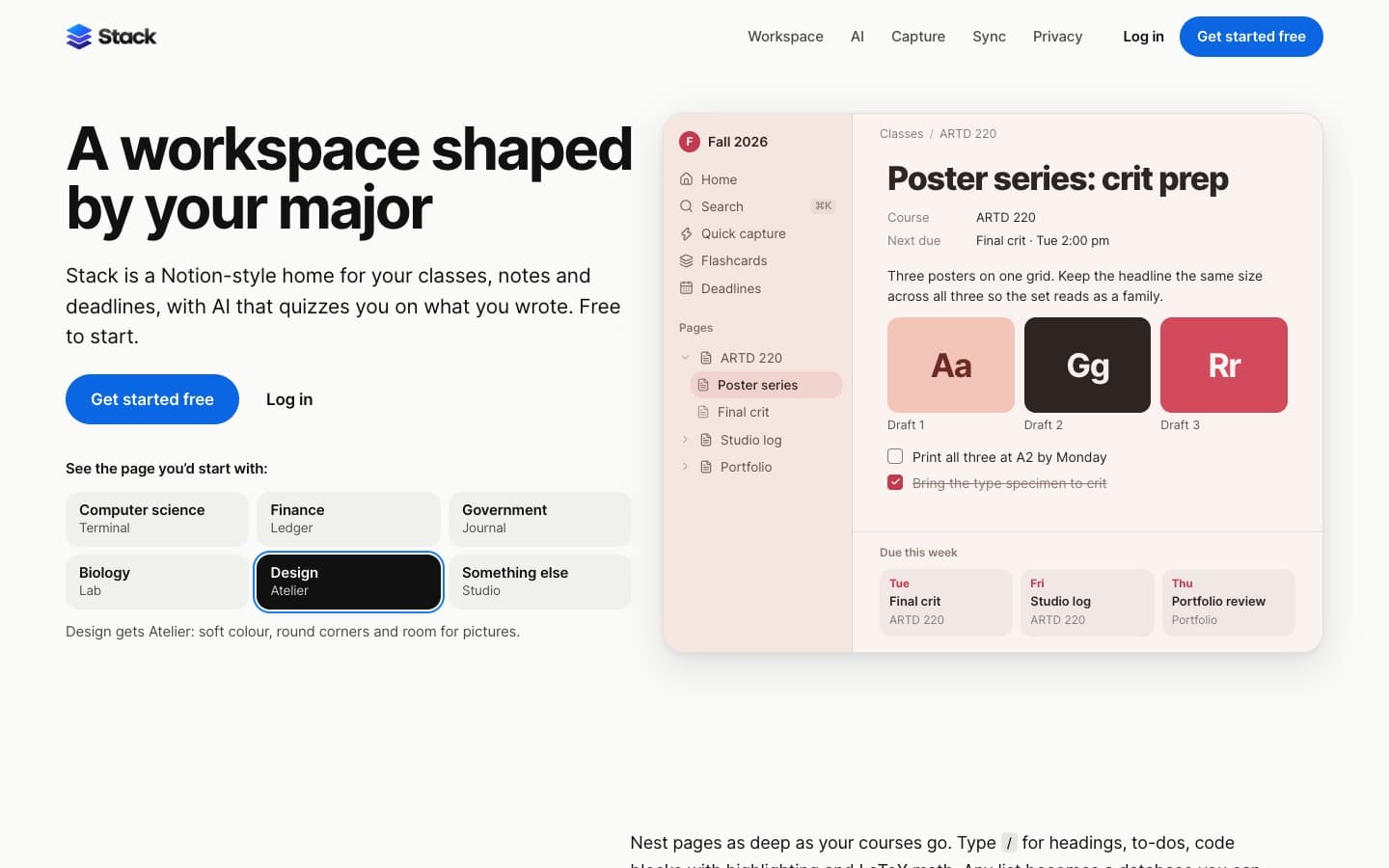
The design style, Atelier: a pink page with round corners for poster critique prep
Quiz me: a correct answer in green and a missed one in red that quotes the note and is added to flashcards
Quick Capture parsing a line about a problem set into an assignment with class and due date
The slash menu with headings, to-dos, code and math, next to an assignments board
A flashcard with Again, Hard, Good and Easy intervals, a week strip, coding practice and an internship board
Onboarding step two of three beside the appearance panel: accent colours, font, corners, density and theme
The note graph: solid lines for links you made and dashed blue lines for connections Stack found